DEMO · This is a sample course from RememberIT Security Training. Nothing is saved — just try how it feels.
Demo course · 3 min

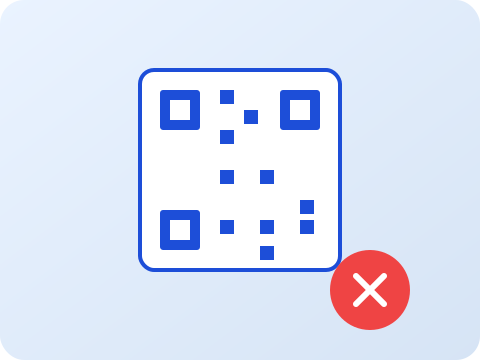
QR codes you should not scan

Two minutes on QR phishing — the new favourite trick for fraudsters. You will learn how to spot fake QR codes before you scan them.

This is what a RememberIT course looks like when it lands in an employee's inbox. Scroll or use the arrows.
RememberIT

Why QR codes are suddenly risky

QR codes used to be a curiosity. Today they are the easiest way for fraudsters to bypass your spam filter — because the actual link is hidden inside an image instead of being a clickable URL.

A classic attack: a sticker is placed over the real QR code on a parking meter, a restaurant menu or a package in reception. You scan it. You land on a fake login page that looks like the real one. You enter your details. The fraudster now has them.

Why QR codes are suddenly risky

Three signs that a QR code is suspicious

1. It urges urgency — "scan within 24 hours", "verify immediately".

2. After scanning, you are asked to log in to something you did not initiate yourself (BankID, Microsoft 365, your bank).

3. The URL after scanning does not match the real organisation. It can be misspelled (microsoft-secure.com, paypa1.com) or use a strange top-level domain (.tk, .xyz, .top).

Three signs that a QR code is suspicious

What to do instead

Always preview the URL before you scan: most phones show the link as a small preview before opening it. Read it carefully.

If the QR code claims to come from a service you use — for example Microsoft 365 or your bank — open the official app or browse to the website manually. Never log in from a QR code if you can avoid it.

If something feels off, ask a colleague or report the email/QR code to your IT team. It is better to ask once too many than too few.

What to do instead

Three quick questions

Try answering — we show the right answer immediately without saving anything.

1. You see a sticker with a QR code on a package in reception. It says you need to scan it to confirm delivery. What do you do?
2. After scanning a QR code your browser asks you to sign in with BankID. The page looks identical to the real bank. What is the warning sign?
3. Which top-level domain is most likely to be a phishing site?
Done!

Want to give your employees simple security courses too?

Courses can be sent automatically from your own Microsoft 365, linked to Entra groups, and keep your employees up to date without requiring a single hour of training time.

  • 2-3 minutes per course — every other week, monthly or fully tailored
  • Microsoft 365 integration: syncs users from Entra automatically
  • Managers see follow-up per team — who completed, who is behind
  • Built-in Outlook add-in: review suspicious mail with one click
  • Insights per user, department and course in real time
Book a demo with RememberIT

Or email hej@rememberit.se

RememberIT
Exempelkurs — Så ser en säkerhetskurs ut | RememberIT Security Training